Table of Contents
Installation
Installation
Please close After effects before installing.
Just run the ILD Render installer and everything is setup.
Supported After Effects versions: 2024 to 2026
or
if you've installed ILD Render already:
run the ILDRenderPluginAE.exe
it is located in
C:\Program Files\ILD Render\AE\ILDRenderPluginAE.exe
The above path may be localized, e.g. C:\Programme\.. in german windows.
Updating After Effects
After updating After Effects to a new version it's necessary to run the installer again.
After Effects Configuration
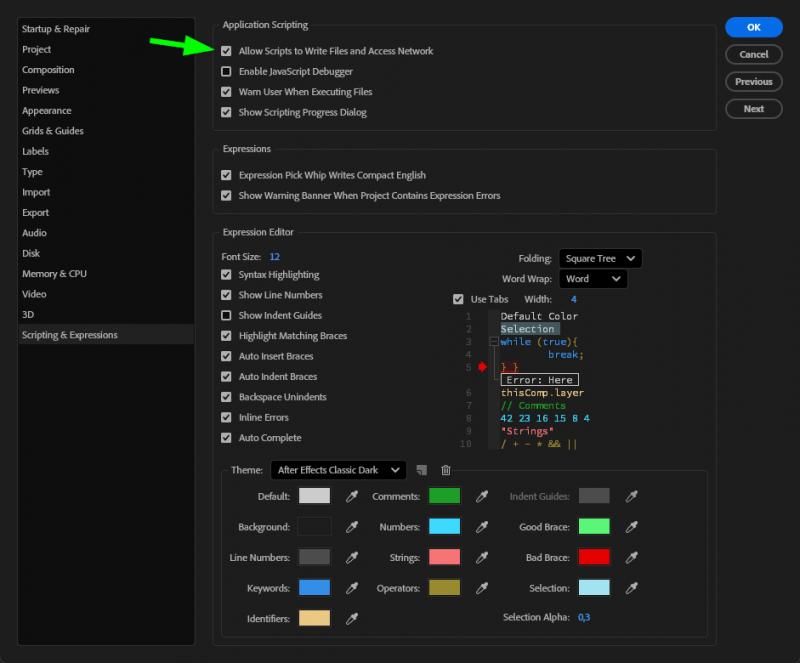
Please enable the “Allow Scripts to Write Files and Access Network” option in the After Effects preferences.
Example files
Some example files are available in
%userprofile%\Documents\ILD Render\Examples\After Effects